Heim Nachricht Steam Deck: So führen Sie Sega-CD-Spiele aus

Steam Deck: So führen Sie Sega-CD-Spiele aus

Autor : Stella Aktualisieren : Jan 19,2025

Diese Anleitung zeigt Ihnen, wie Sie Ihre Sega-CD-Spiele mit EmuDeck auf Ihrem Steam Deck spielen. Die Sega-CD oder Mega-CD erweiterte das Sega Genesis/Megadrive um CD-basierte Spiele und bot verbesserte Grafik und Audio. EmuDeck vereinfacht den Prozess.

Bevor Sie beginnen:
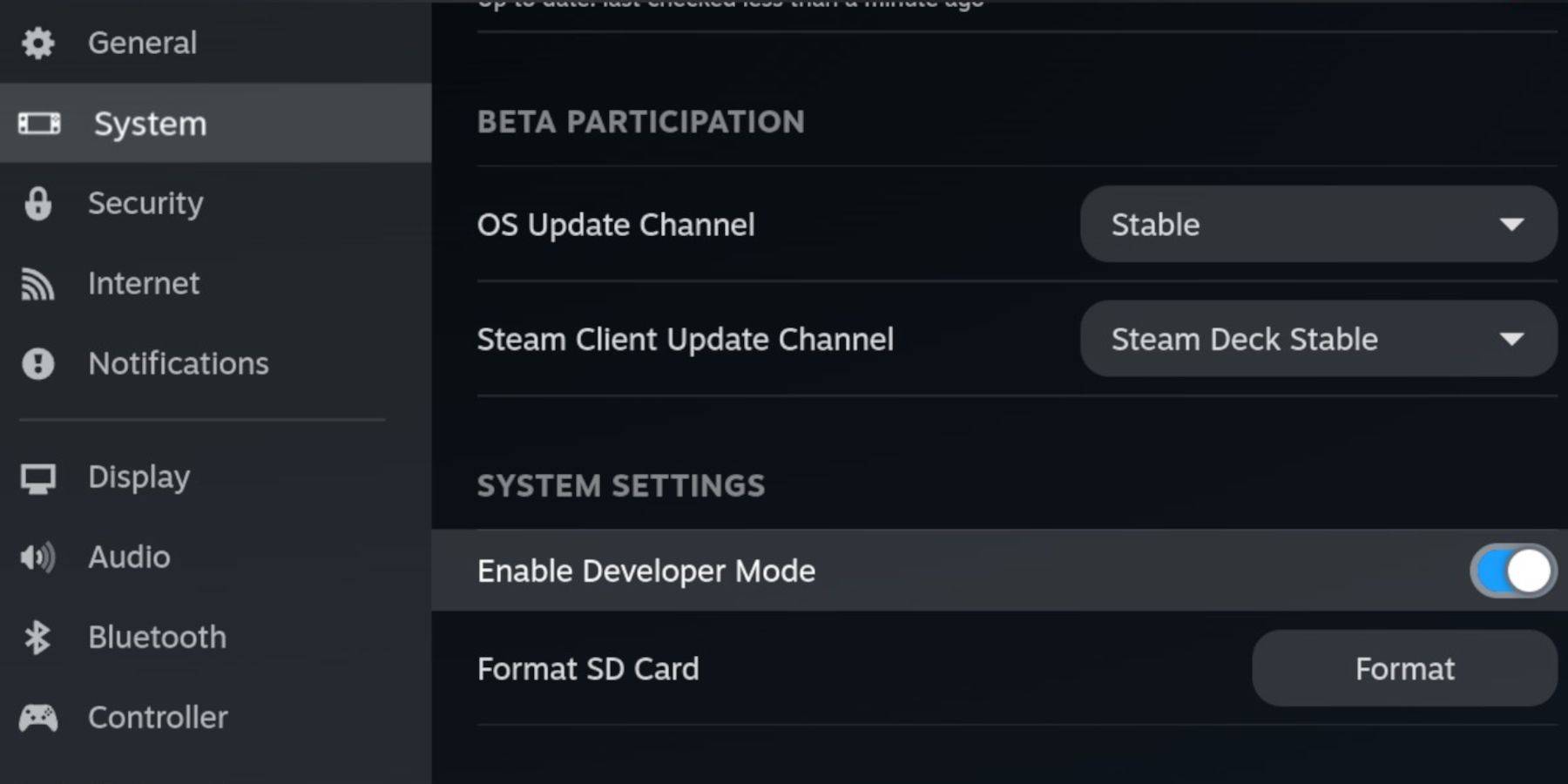
Aktivieren Sie den Entwicklermodus und das CEF-Remote-Debugging auf Ihrem Steam Deck für Kompatibilität mit EmuDeck-Updates. Anweisungen:

  1. Öffnen Sie das Steam-Menü (Steam-Taste).
  2. Gehen Sie zu System > Entwicklermodus. Aktivieren Sie es.
  3. Aktivieren Sie im Entwicklermenü das CEF-Remote-Debugging.
  4. Energiemenü > Desktop-Modus.

Wichtige Elemente:

  • Eine schnelle A2 microSD-Karte für EmuDeck und Spiele. (Formatieren Sie es auf dem Steam Deck: Steam-Menü > Speicher > SD-Karte formatieren)
  • Legal erworbene Sega-CD-ROMs und BIOS-Dateien.
  • Optional: Tastatur und Maus für einfachere Dateiübertragungen.

EmuDeck installieren:
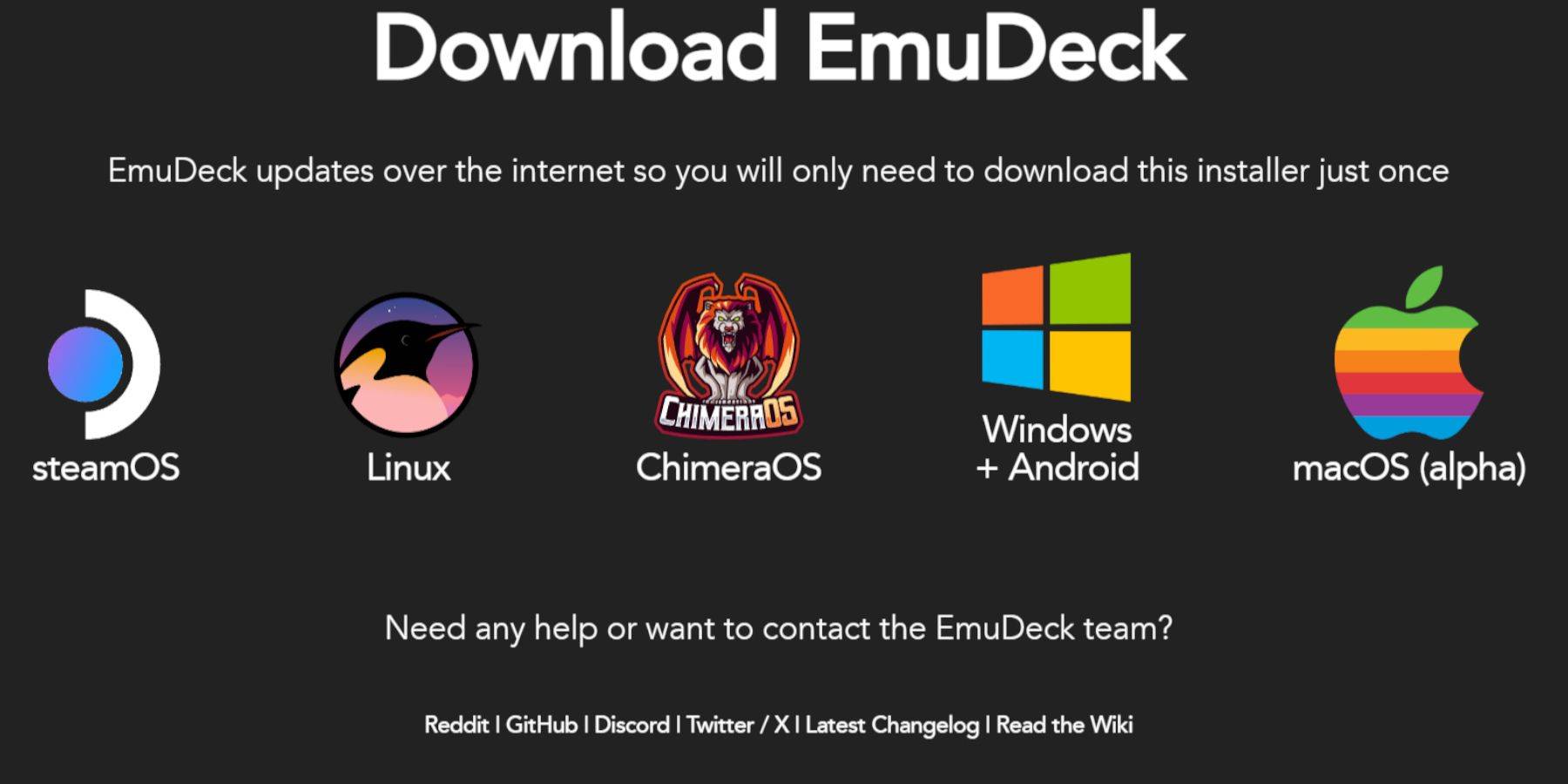
  1. Wechseln Sie in den Desktop-Modus (Steam-Taste > Power > Desktop-Modus).
  2. Laden Sie einen Browser herunter (aus dem Discovery Store) und laden Sie EmuDeck herunter. Wählen Sie die Steam OS-Version.
  3. Führen Sie das Installationsprogramm aus, wählen Sie „Benutzerdefinierte Installation“, wählen Sie Ihre SD-Karte, wählen Sie Steam Deck als Ziel und wählen Sie RetroArch, MelonDS, Steam ROM Manager und Emulation Station (oder alle Emulatoren).
  4. Schließen Sie die Installation ab.

Sega-CD-Dateien übertragen:
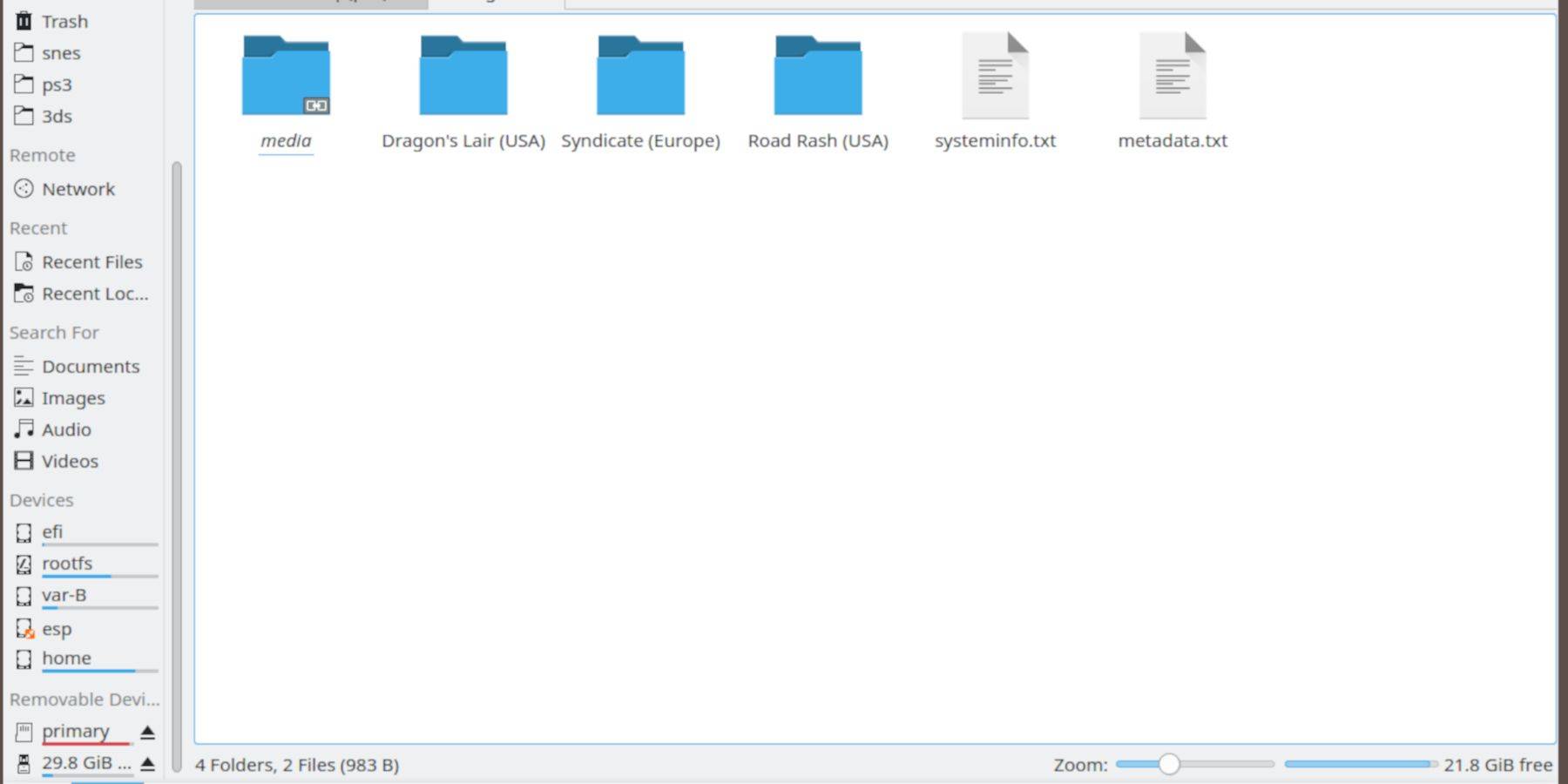
  1. Verwenden Sie den Dolphin-Dateibrowser (im Desktop-Modus), um auf Ihre SD-Karte (primär) zuzugreifen.
  2. Navigieren Sie zu Emulation > BIOS und übertragen Sie Ihre BIOS-Dateien.
  3. Navigieren Sie zu Emulation > ROMS > segaCD (oder megaCD) und übertragen Sie Ihre ROMs.

ROMs zum Steam ROM Manager hinzufügen:
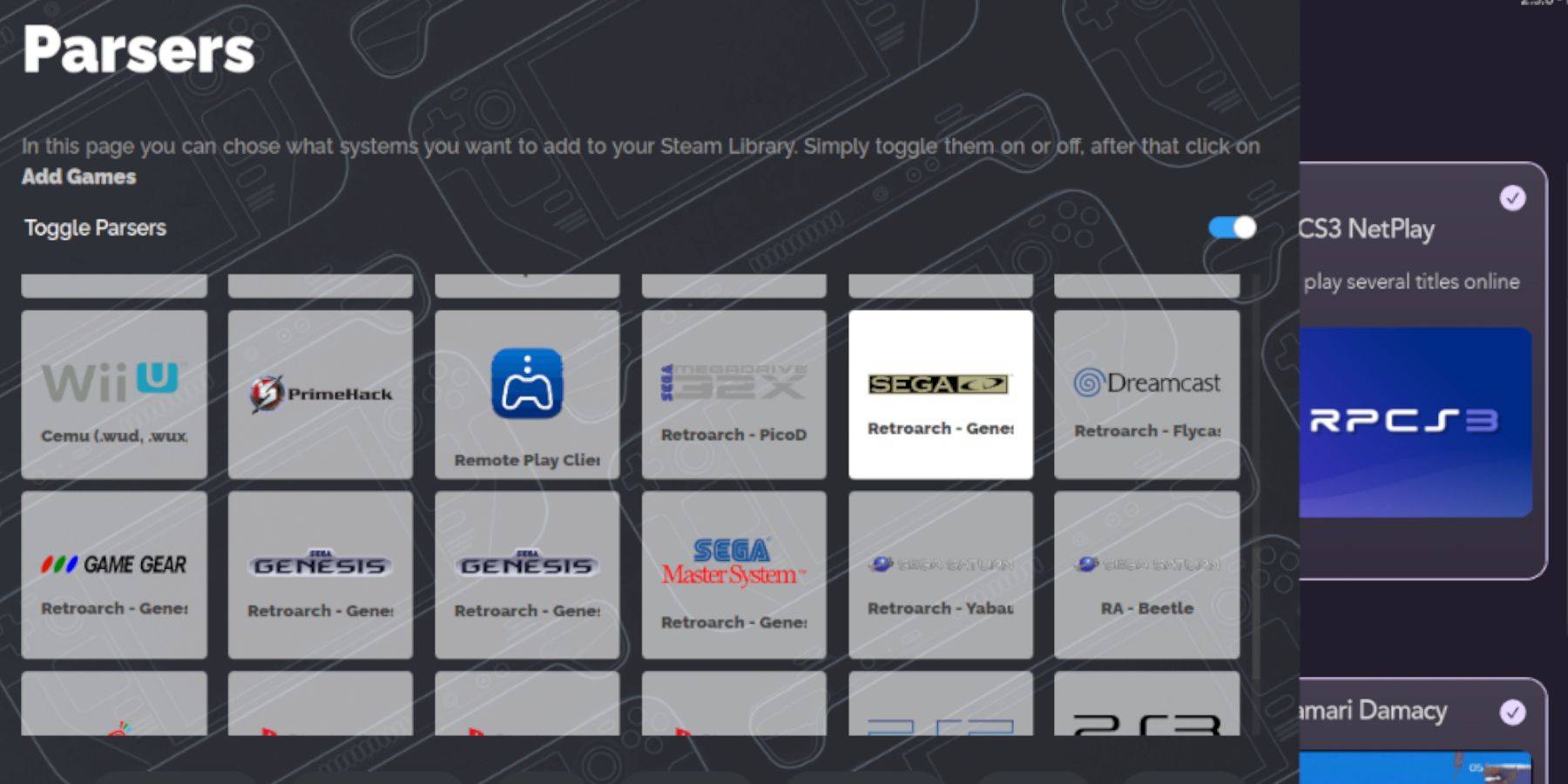
  1. Öffnen Sie EmuDeck und dann Steam ROM Manager. Klicken Sie auf „Ja“.
  2. Klicken Sie auf „Weiter“ und dann auf die beiden Nintendo DS-Fenster.
  3. Klicken Sie auf „Spiele hinzufügen“ und dann auf „Parsen“. SRM bereitet Ihre Spiele und Cover vor.

Fehlende Deckblätter korrigieren:
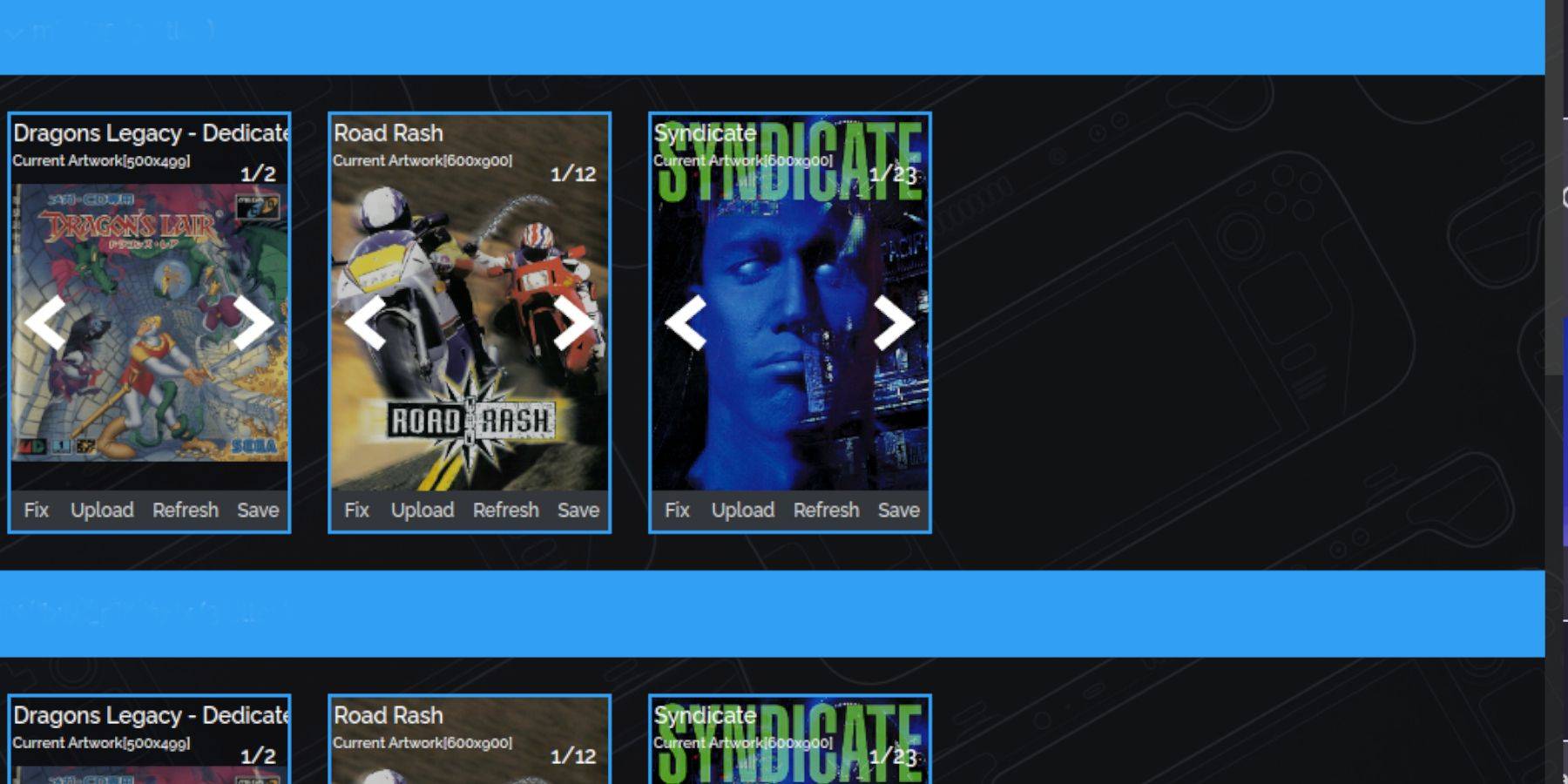
Wenn Cover fehlen:

  1. Klicken Sie auf „Reparieren“. Suchen Sie nach dem Spieltitel.
  2. Wählen Sie ein Cover aus und klicken Sie auf „Speichern und schließen“.

Um Cover manuell hinzuzufügen: Klicken Sie auf „Hochladen“, suchen Sie Ihr Bild und klicken Sie auf „Speichern und schließen“.

Spielen Sie Ihre Spiele:
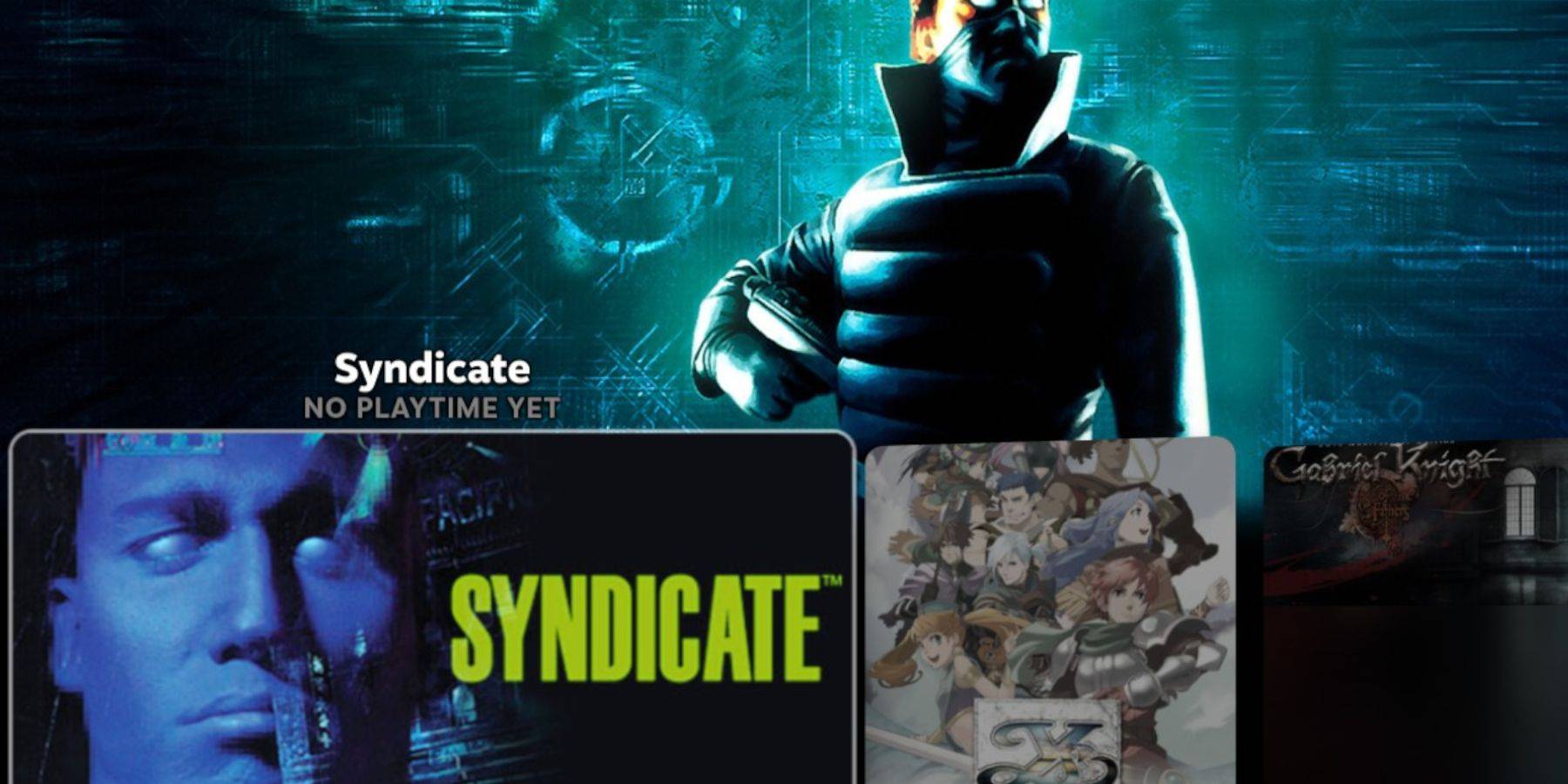
  1. Gehen Sie im Gaming-Modus zu Bibliothek > Sammlungen > Sega-CD.
  2. Starten Sie Ihre Spiele.

Emulationsstation verwenden:

Emulation Station (zu finden unter Bibliothek > Nicht-Steam) bietet ein besseres Bibliothekserlebnis, insbesondere für Spiele mit mehreren Discs. Verwenden Sie den Scraper (Menü > Scraper > TheGamesDB > Sega-CD), um Metadaten und Grafiken herunterzuladen.

Decky Loader und Power Tools installieren:
EmuDeck empfiehlt Decky Loader für Elektrowerkzeuge.

  1. In den Desktop-Modus wechseln.
  2. Laden Sie Decky Loader von der Seite GitHub herunter. Führen Sie das Installationsprogramm aus und wählen Sie „Empfohlene Installation“. Starten Sie im Gaming-Modus neu.
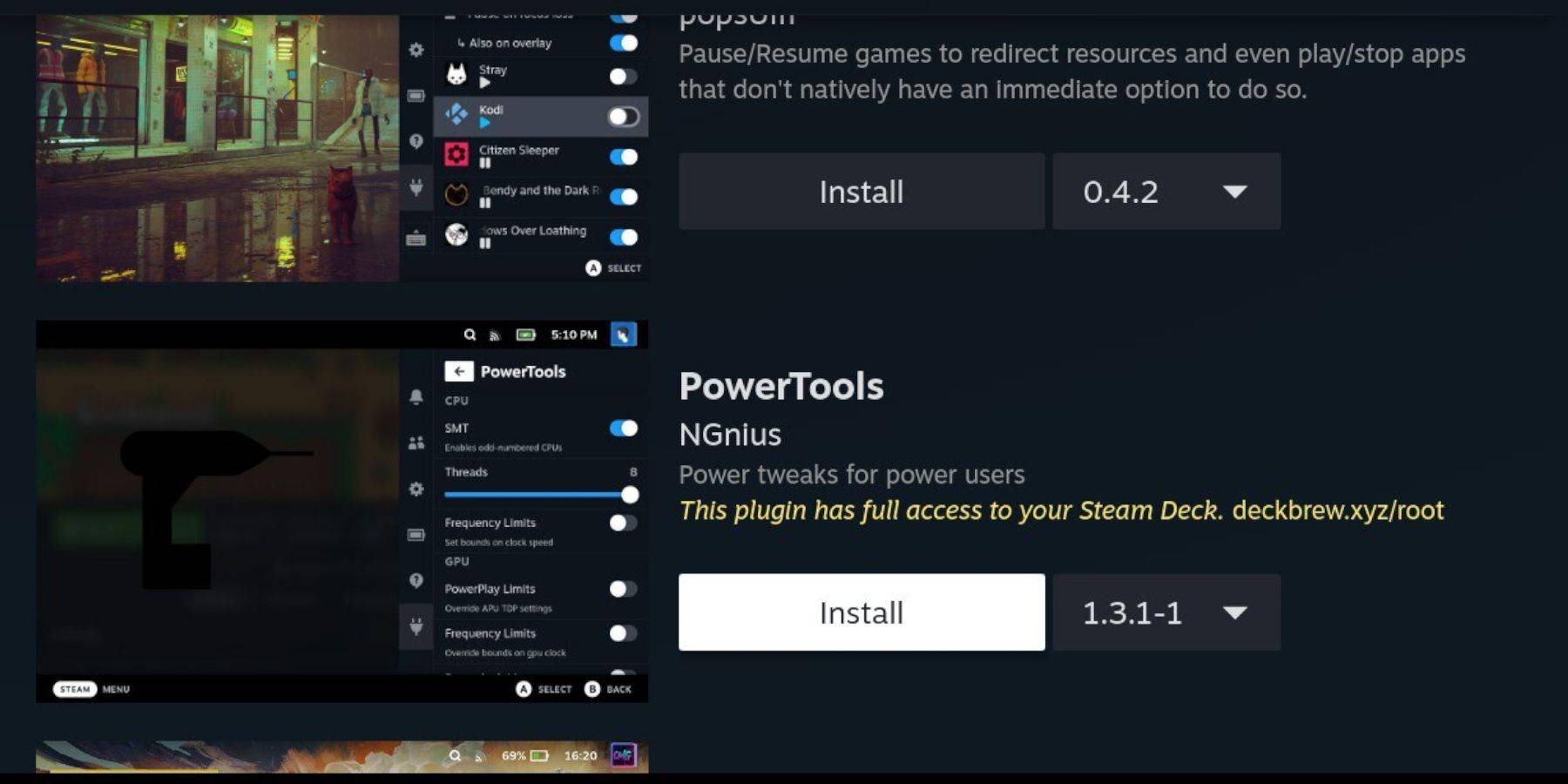
  3. Öffnen Sie Decky Loader (QAM-Taste), gehen Sie zum Laden und installieren Sie Power Tools.
  4. Optimieren Sie in Power Tools die Einstellungen (deaktivieren Sie SMTs, setzen Sie Threads auf 4, passen Sie den GPU-Takt bei Bedarf an).

Decky Loader nach einem Steam-Deck-Update reparieren:
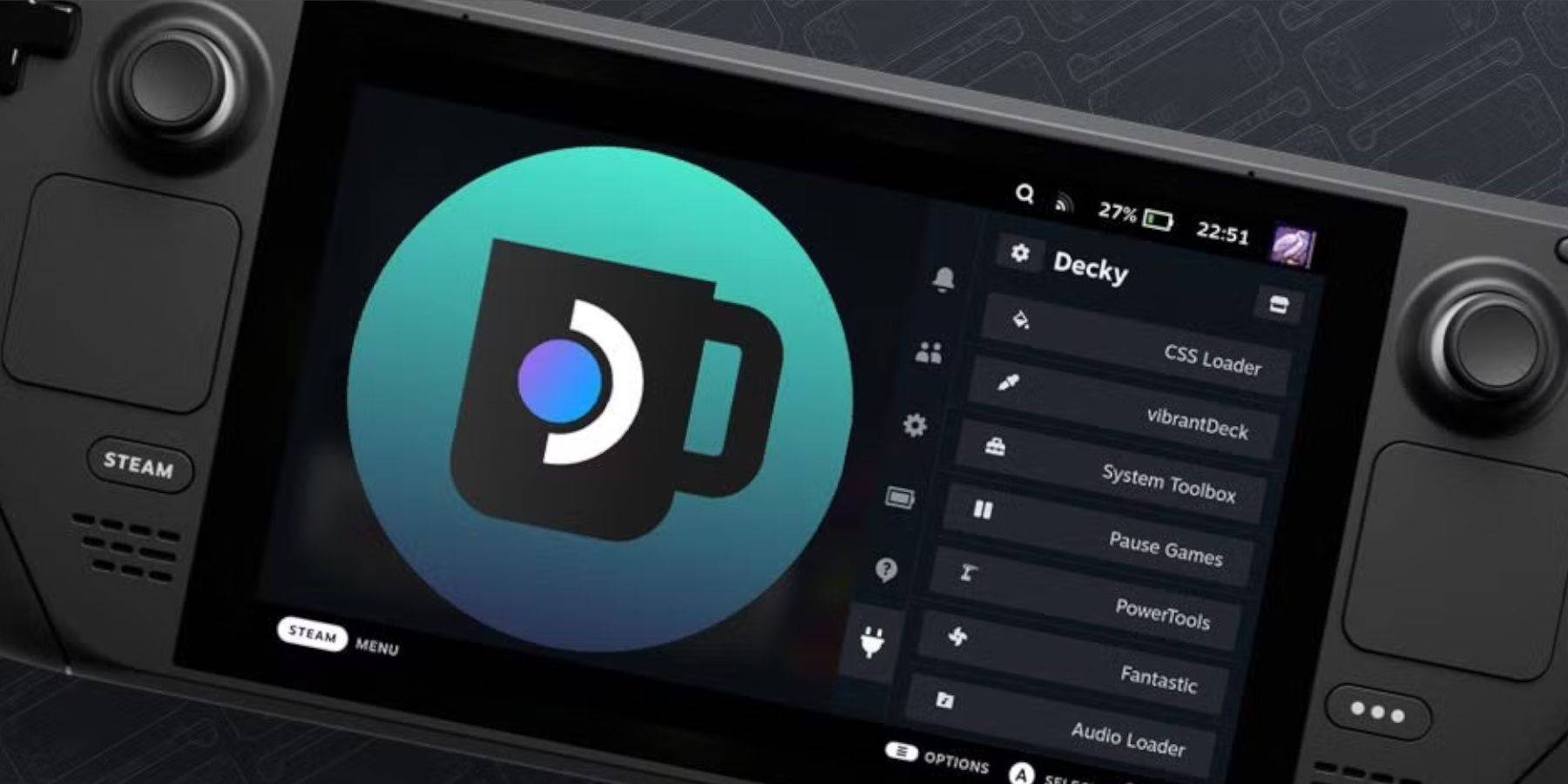
Wenn Decky Loader nach einem Update entfernt wird:

  1. Gehen Sie in den Desktop-Modus.
  2. Laden Sie Decky Loader erneut herunter. Wählen Sie „Ausführen“, geben Sie Ihr Sudo-Passwort ein (erstellen Sie bei Bedarf eines).
  3. Im Gaming-Modus neu starten.

Jetzt können Sie Ihre Sega-CD-Spiele auf Ihrem Steam Deck genießen!

Neueste Artikel

Mehr
It seems you're referring to a mobile game called Figment Puzzle Game, possibly looking for information about it being free on the Epic Games Store. However, as of now, there is no widely known puzzle game titled Figment Puzzle Game available on the Epic Games Store for mobile. Here are a few clarifications: Epic Games Store Mobile Availability: The Epic Games Store is primarily available on desktop (Windows), and while it does have a mobile app for Android, it does not currently offer a large library of mobile-exclusive games like Figment Puzzle Game. Most games on the Epic Store are PC-focused. Figment – The name "Figment" may be referencing Figment, a whimsical character from Disney's Dreams (a multimedia project), or a game inspired by that character. There have been indie puzzle games with similar themes, but no major title named Figment Puzzle Game is officially listed on Epic Games Store. Free on Epic Games: If a game is free on the Epic Games Store, it’s usually highlighted as such. You can check the store directly at https://www.epicgames.com to search for "Figment" or related puzzle games. 🔍 What You Can Do: Search the Epic Games Store app (on Android or desktop) for "Figment Puzzle Game". Check if it’s a third-party indie game on platforms like Itch.io or Google Play. Confirm the game’s official name—sometimes titles are slightly different. If you meant a different game (e.g., Puzzle Quest, Monument Valley, or The Talos Principle), let me know and I can help find a free alternative on the Epic Store or other platforms. Let me know more details if you’d like help! Lektüre
As of now, there is no official confirmation from Nintendo regarding a game being removed from the Nintendo Switch due to Switch 2 compatibility delays. Reports suggesting such a removal may stem from misinformation, speculation, or confusion surrounding future hardware transitions. Nintendo has not announced any plans to remove existing games from the Nintendo Switch eShop or physical library due to delays in the upcoming Switch 2 (often referred to as the Switch successor or "Switch 2" in media). In fact, Nintendo has consistently emphasized support for its current Switch platform, including continued game releases and online services. That said, it's common for rumors to circulate when new hardware is in development—especially around backward compatibility, game availability, and potential changes to digital storefronts. However, as of the latest updates (early 2024), all major Switch titles remain accessible, and no game has been officially delisted for compatibility reasons. If you’ve seen a specific report about a game being removed, it may be a misunderstanding or a misinterpretation of a different issue—such as a temporary service outage, regional availability changes, or a game being delisted for non-technical reasons (e.g., licensing, publisher decisions). For accurate information, always refer to official Nintendo sources like Nintendo's website or their social media channels. Stay tuned—Nintendo is expected to provide more details about its next-generation console at future events like Nintendo Direct. Lektüre
As of now, August 2025, there are no officially confirmed or publicly released redeem codes for The Tower – Idle Tower Defense that are guaranteed to work. Game developers (including those behind The Tower – Idle Tower Defense) often release temporary redeem codes through official channels like: Twitter/X (@towergameapp) Discord (Official Community Server) Facebook (The Tower Game) In-game events or promotions YouTube creators (trusted partners) ✅ How to Check for Working Codes (August 2025): Visit the official website: https://www.thetowergame.com Join the official Discord: https://discord.gg/towergame – Code drops happen here regularly. Follow on X (Twitter): @towergameapp – They post new codes during events. Check in-game news tab – New codes are sometimes delivered directly in-game. 🔥 Common Code Format (for reference): Codes are typically uppercase letters and numbers, like: WELCOME100 TOWER2025 DISCORDGIVE FREEDROP ⚠️ Note: Always double-check spelling and case. Codes expire quickly and are often limited to 1 use per account. Never enter your account details on third-party websites offering "free codes." 📌 Pro Tip (August 2025): Since The Tower – Idle Tower Defense is regularly updated, new codes appear weekly during seasonal events (e.g., summer festivals, Halloween, New Year). Be sure to: Enable push notifications in the app. Follow the official social media pages. ❌ If a Code Doesn’t Work: It may have expired. It might have reached its redemption limit. It could be region-locked. ✅ Final Advice: As of August 2025, no known active redeem codes are currently circulating publicly. The best way to get new codes is to join the official Discord and follow @towergameapp on X. Would you like me to help you check the latest codes from the official sources (as of mid-August 2025)? Just let me know! 🎮✨ Lektüre
It looks like you're referencing a fun and exciting crossover event between 8 Ball Pool and 8 Ball Pool Crossover, which seems to be a playful or fictional announcement. Let’s break it down and clarify what might be going on — because as of now (June 2024), there is no official crossover event between 8 Ball Pool (the popular mobile game by Miniclip) and any other franchise — especially not "8 Ball Pool Crossover," which sounds like a parody or fan-made concept. Here’s a likely interpretation: 🎯 What’s Actually Happening? "8 Ball Pool Crossover Event Launches" might be a fan-made meme, YouTube video title, or satirical post. It could be a joke referencing how 8 Ball Pool often features characters from other Miniclip games (like Cut the Rope, Stuntman, or Darts) in promotional content or limited-time events. Some users create fake "crossover" hype to mock or celebrate the game’s quirky, cartoonish style — especially when it features characters from totally unrelated games. Why the Confusion? Miniclip (the developer of 8 Ball Pool) has done crossover-style events in the past — for example: 8 Ball Pool teaming up with Minecraft, The Sims, or FIFA in promotional campaigns. Players have seen 8 Ball Pool avatars appear in other Miniclip games, and vice versa. These are not full crossovers, but they give fans the illusion of one. Possible Real Event? As of now, no official "8 Ball Pool Crossover Event" has been announced by Miniclip. If you saw this on social media, it's likely: A meme (e.g., "8 Ball Pool x Spider-Man Crossover: Chaos Ensues"). A fan-made video titled for clickbait. A spoof of how gaming crossovers are overhyped. ✅ TL;DR: 🤯 There is no real "8 Ball Pool Crossover Event" with another game as of now. The phrase is likely a joke, fan creation, or internet meme. 8 Ball Pool does have fun promotional events — but not full crossovers like in Fortnite or Genshin Impact. Stay tuned to official Miniclip or 8 Ball Pool social channels for real updates! If you saw this on TikTok, YouTube, or Twitter — it's probably meant to be humorous. 😄 Let me know if you want help finding real 8 Ball Pool events or creating your own fake crossover story! Lektüre