Application Description
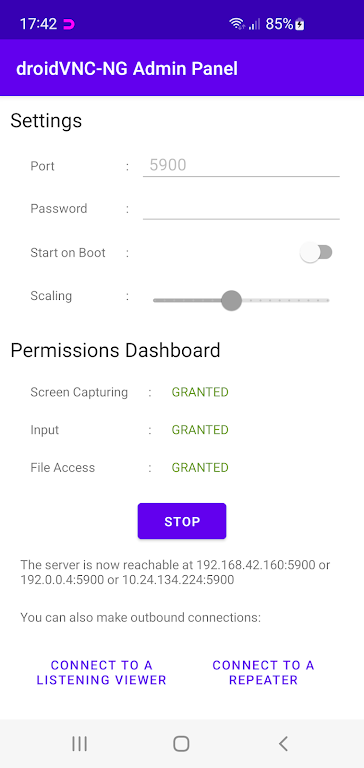
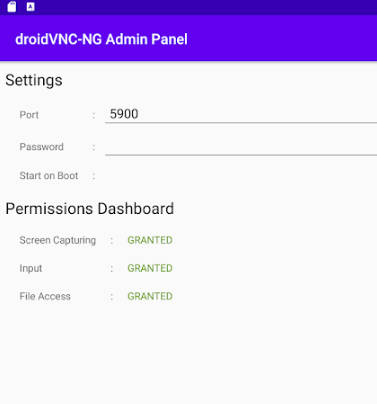
Turn your Android device into a powerful remote control and screen sharing solution with the innovative droidVNC-NG VNC Server app—no root required. Use droidVNC-NG to share your screen over the network with optional scaling for best performance, control your device through any VNC client, access special keys like Recent Apps and Home remotely, and copy-paste text between your device and client. It’s the perfect way to interact with your Android from afar. Try droidVNC-NG today and experience total remote control.
Key Features of droidVNC-NG VNC Server:
❤ Remote Control & Interaction: Share your device’s screen over the network and control it remotely using a VNC client, including mouse and keyboard input.
❤ Special Key Functions: Remotely trigger keys such as Recent Apps, Home, and Back for easier, intuitive navigation.
❤ Text Copy & Paste: Seamlessly copy and paste text between your Android device and the VNC client.
Tips for Users:
❤ Enable Accessibility Service: To use remote control and special key functions, activate the Accessibility API Service on your device.
❤ Adjust Scaling for Performance: Improve clarity and speed by tuning the scaling settings on the server when screen sharing.
❤ Try Different Control Methods: Experiment with mouse and keyboard inputs via your VNC client for a personalized remote experience.
Conclusion:
droidVNC-NG VNC Server is a versatile, user‑friendly app that delivers robust remote control and interaction features for Android. Whether you need to share your screen, operate your device from a distance, or transfer text seamlessly, this app handles it all. With its intuitive design and smooth performance, droidVNC-NG is a must‑have for convenient, efficient remote device management. Download now and put remote control right at your fingertips.
Screenshot
Reviews
Apps like droidVNC-NG VNC Server










Trending apps







Top News








Latest Apps


Latest Articles