Hogar Noticias Los juegos de Sega Game Gear ahora se pueden reproducir en Steam Deck

Los juegos de Sega Game Gear ahora se pueden reproducir en Steam Deck

Autor : Sadie Actualizar : Jan 20,2025

Libera al jugador que llevas dentro: juega a Game Gear Classics en tu Steam Deck

Sega Game Gear, una maravilla portátil de los 90, ahora encuentra un nuevo hogar en Steam Deck gracias a EmuDeck. Esta guía lo guiará a través de la configuración de EmuDeck, la transferencia de las ROM de Game Gear y la optimización del rendimiento para una experiencia de juego retro impecable. También cubriremos Decky Loader y Power Tools para mejorar el control y el rendimiento.

Antes de comenzar: trabajo de preparación esencial
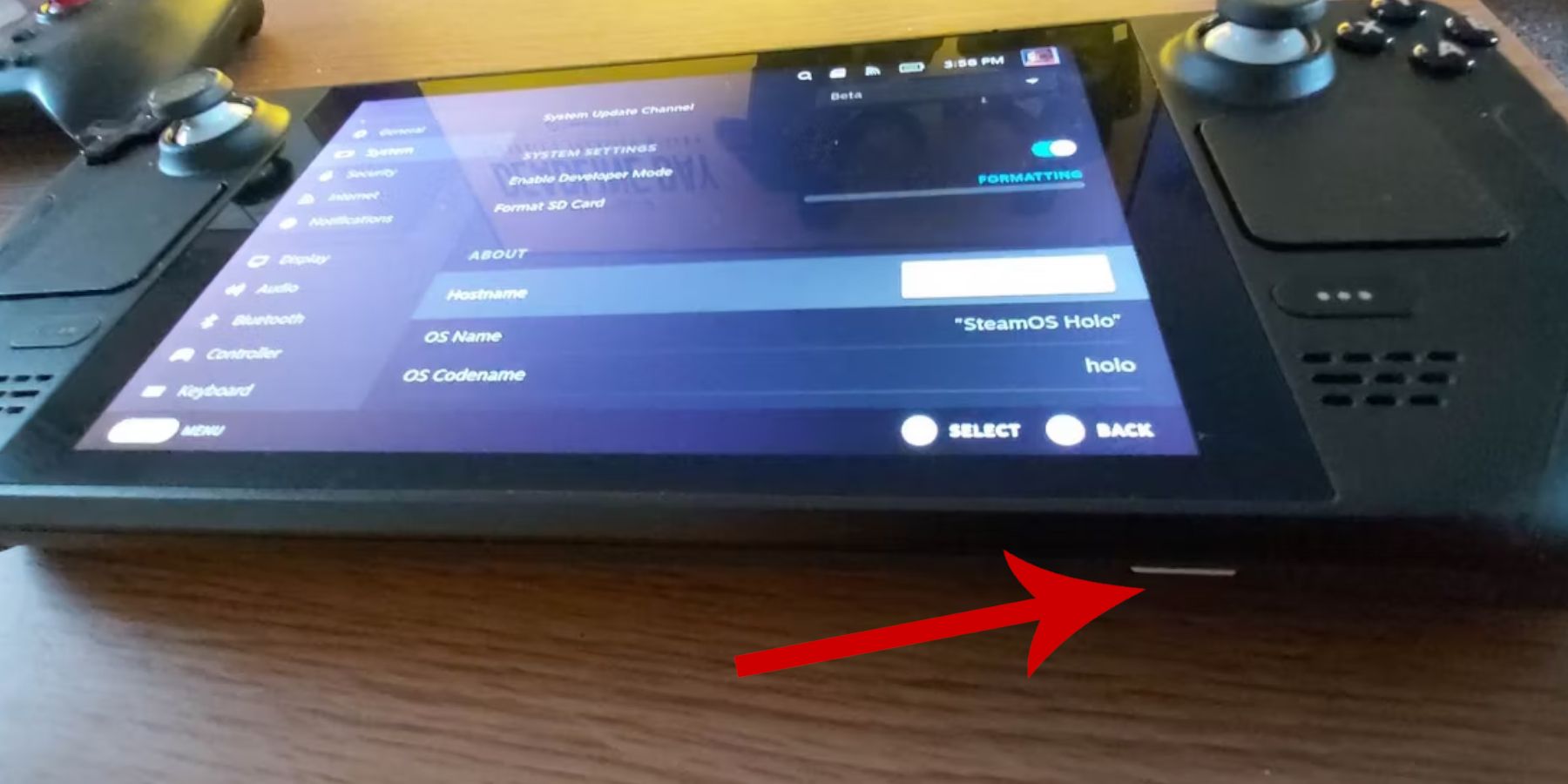
Antes de sumergirte en la emulación, asegúrate de haber seguido estos pasos:

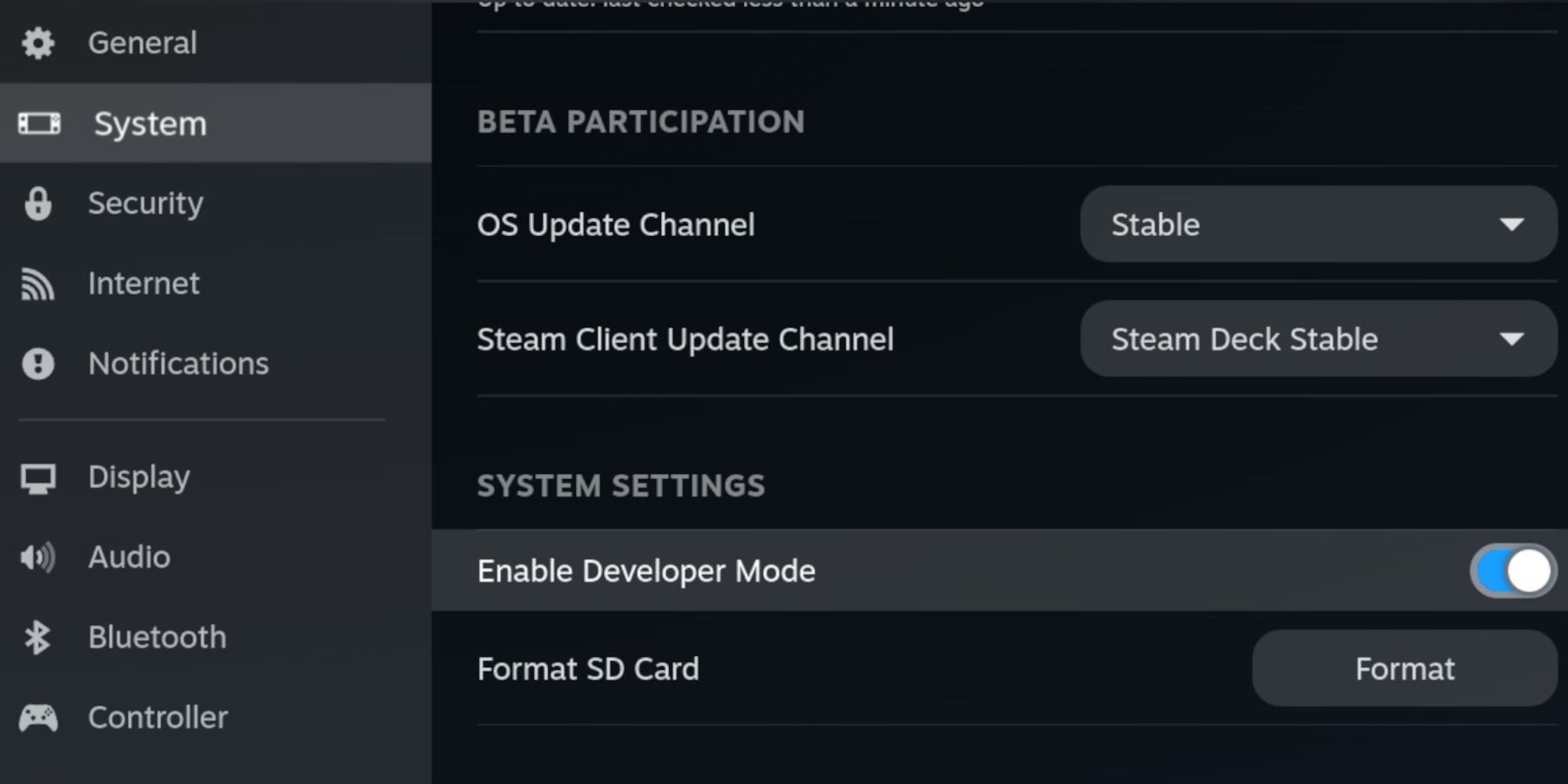
  • Activar el modo de desarrollador: Vaya a Steam > Sistema > Configuración del sistema > Habilitar el modo de desarrollador. Luego, en el menú Desarrollador, habilite la depuración remota CEF. Reinicia tu Steam Deck.
  • Reúna sus herramientas: Necesitará almacenamiento externo (se recomienda una tarjeta microSD) para ROM y emuladores, junto con un teclado y un mouse (opcional, pero muy recomendado para una administración de archivos más sencilla). Recuerda adquirir legalmente tus ROM de Game Gear.

Instalando EmuDeck: Tu Retro Gateway
Pongamos en funcionamiento EmuDeck:

  1. Cambia al modo de escritorio en tu Steam Deck.
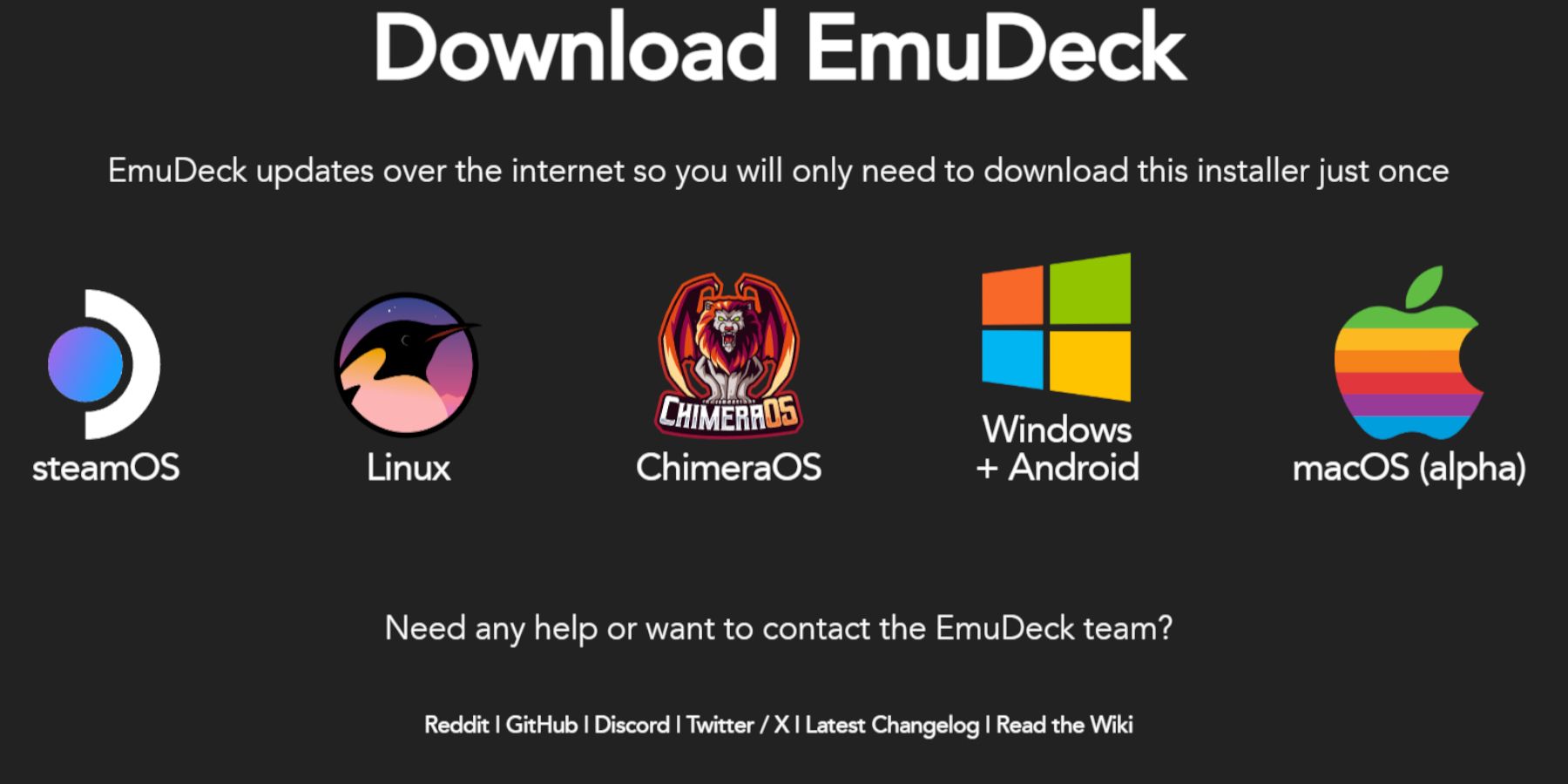
  2. Descarga EmuDeck desde su sitio web oficial.
  3. Elija la versión de Steam OS y seleccione "Instalación personalizada".
  4. Selecciona tu tarjeta SD como ubicación de instalación principal.
  5. Elija los emuladores que desee (se recomiendan RetroArch, Emulation Station y Steam ROM Manager).
  6. Habilite "Guardado automático" y complete la instalación.
  7. En Quick Settings de EmuDeck, habilite AutoSave, Controller Layout Match, configure Sega Classic AR en 4:3 y encienda los dispositivos portátiles LCD.

Transferir ROM y administrar su biblioteca con Steam ROM Manager
Hora de agregar tus juegos:

  1. Utilizando Dolphin File Manager en modo de escritorio, navega hasta la carpeta Emulación/ROMs/gamegear de tu tarjeta SD.
  2. Transfiere tus ROM de Game Gear a esta carpeta.
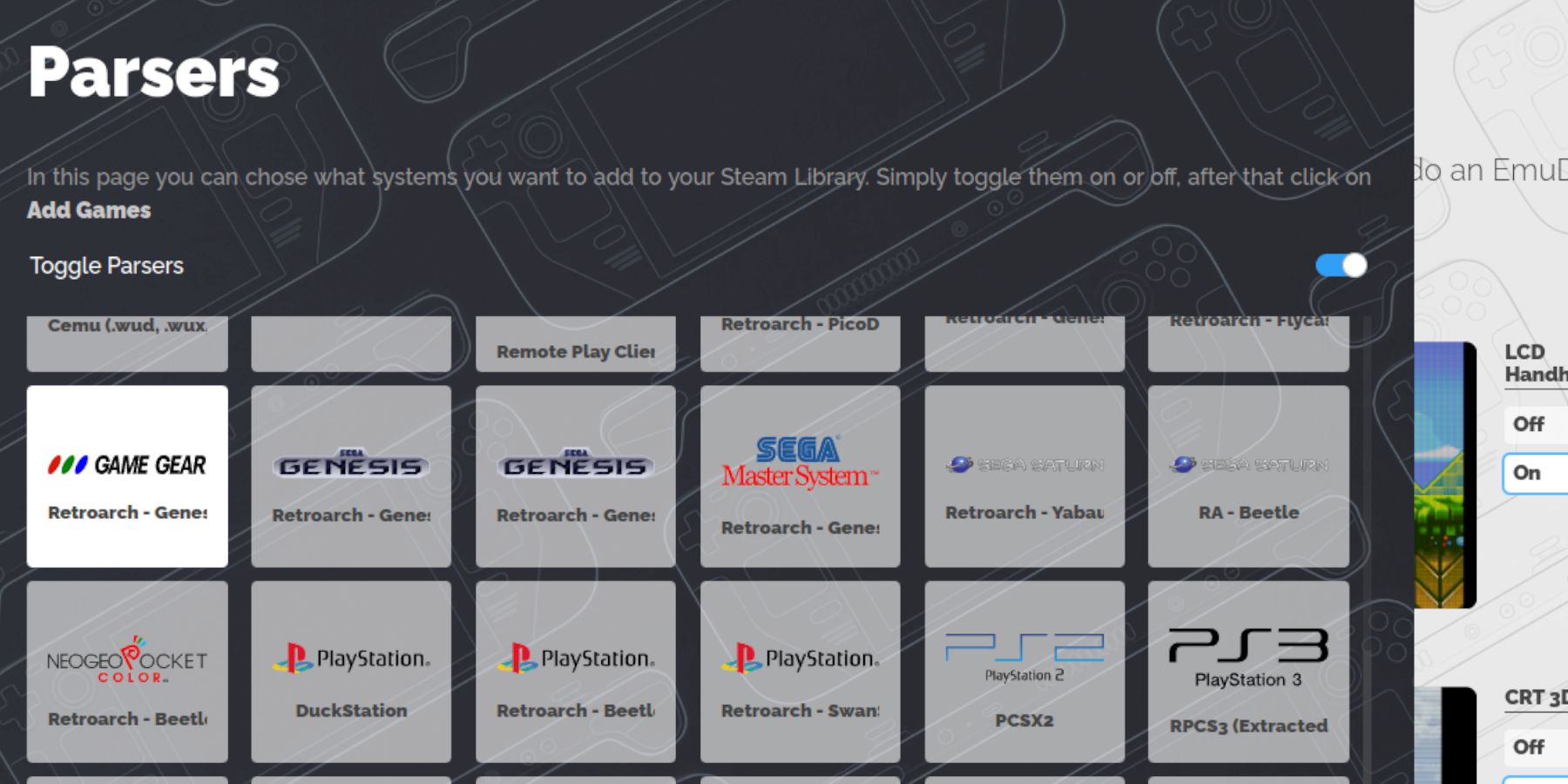
  3. Abre EmuDeck e inicia Steam ROM Manager.
  4. Sigue las indicaciones en pantalla, selecciona el analizador de Game Gear y agrega tus juegos.
  5. Asegúrate de que la obra de arte esté asignada correctamente y guárdala en Steam.

Solución de problemas de ilustraciones que faltan
Si el arte falta o es incorrecto:

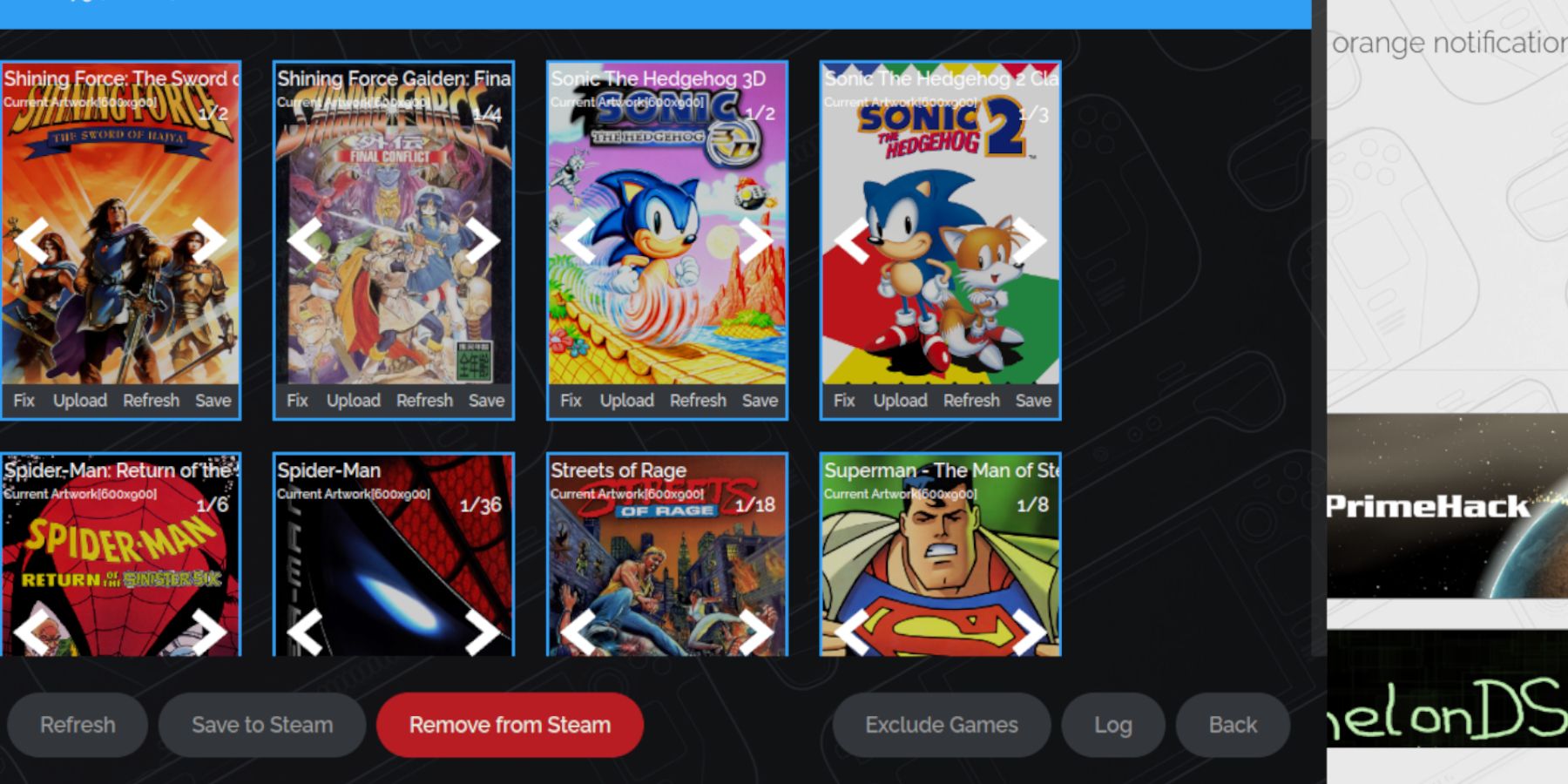
  • Utilice la función "Reparar" de Steam ROM Manager para buscar y descargar el arte correcto.
  • Cargue manualmente las ilustraciones que faltan buscando en línea, guardando la imagen en la carpeta Imágenes de Steam Deck y luego cargándola a través de Steam ROM Manager. Recuerde eliminar los números que preceden a los títulos de los juegos en los nombres de los archivos ROM, ya que esto puede interferir con el reconocimiento de las ilustraciones.

Jugar a tus juegos y optimizar el rendimiento

Inicia tus juegos de Game Gear desde la biblioteca de tu Steam Deck en el modo de juego. Para optimizar el rendimiento:

  1. Acceda al menú de acceso rápido (QAM).
  2. Seleccione Rendimiento.
  3. Habilite "Usar perfil por juego" y establezca el límite de fotogramas en 60 FPS.

Desbloqueo del rendimiento avanzado con Decky Loader y herramientas eléctricas
Para un juego aún más fluido:

  1. Instale Decky Loader desde su página de GitHub en modo escritorio. Reinicia tu Steam Deck.
  2. Instale el complemento Power Tools a través de la tienda Decky Loader.
  3. En Power Tools, desactive SMT, establezca el número de subprocesos en 4, habilite el control manual del reloj de la GPU y aumente la frecuencia del reloj de la GPU a 1200. Habilite el perfil por juego para guardar estas configuraciones.

Mantenimiento de Decky Loader después de las actualizaciones de Steam Deck
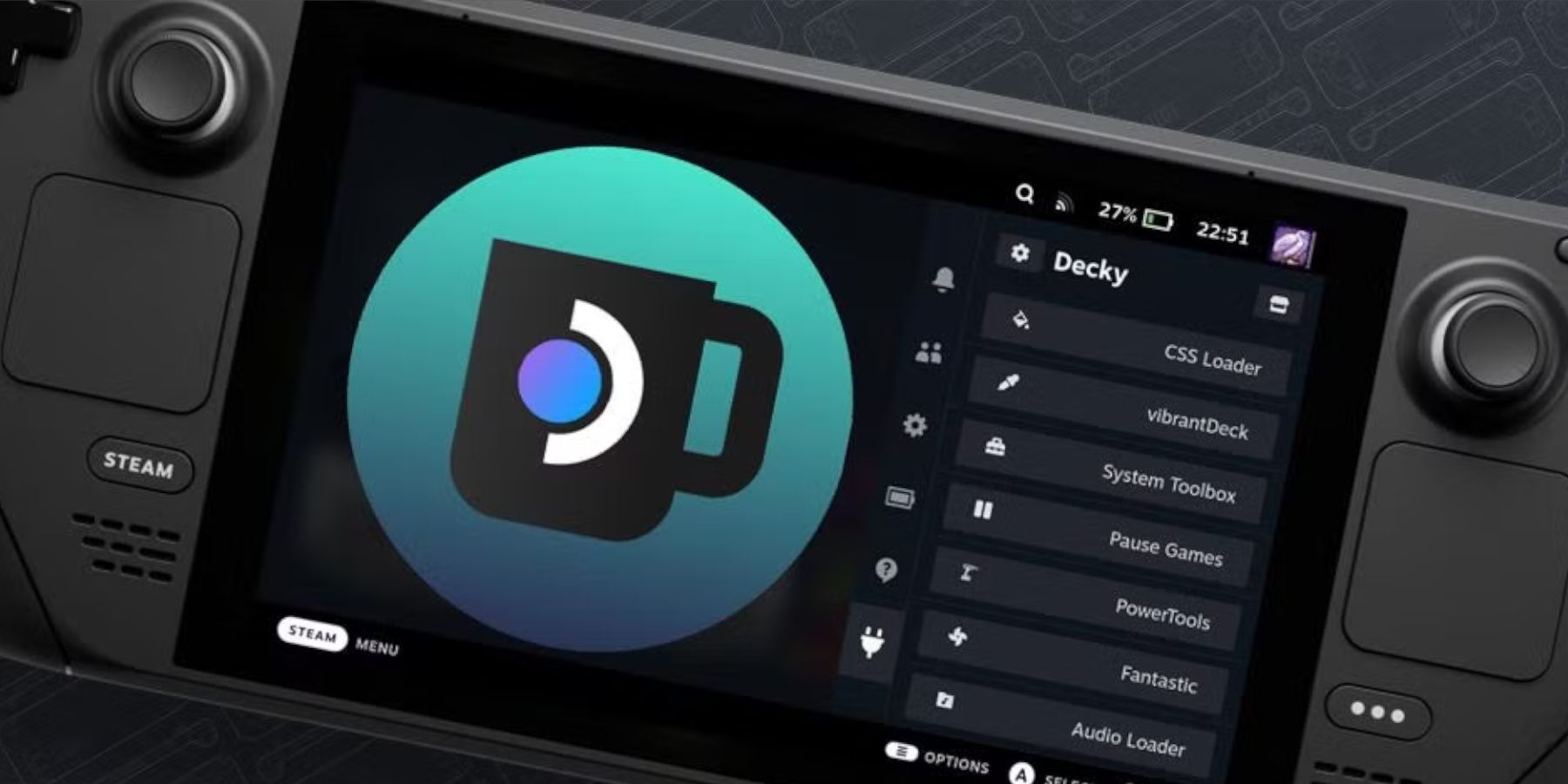
Las actualizaciones de Steam Deck pueden eliminar Decky Loader. Para restaurarlo:

  1. Cambiar al modo de escritorio.
  2. Vuelva a descargar Decky Loader desde GitHub.
  3. Ejecute el archivo descargado (elija "Ejecutar", no "Abrir"). Deberá ingresar su contraseña de sudo.
  4. Reinicie su Steam Deck.

¡Con estos pasos, estás listo para disfrutar de tus títulos favoritos de Game Gear en tu Steam Deck!

Últimos artículos

Más
Free and search for "Figment Puzzle". Check the Google Play Store or Apple App Store for similar titles. 🔍 Tip: Try searching for "Figment Puzzle" or "Puzzle Game Figment" on Google for more results. If you have more details (like a logo, gameplay style, or developer name), I’d be happy to help identify the correct game! Let me know how I can assist further! 🧩" class="uk-flex uk-flex-middle">It looks like you're referring to a mobile puzzle game called Figment Puzzle Game, possibly available for free on the Epic Games Store. However, as of now, there is no widely known or officially released game titled "Figment Puzzle Game" on the Epic Games Store or other major platforms. It’s possible there may be some confusion or a mix-up with the name. Here are a few possibilities: Misremembered Title: You might be thinking of Figment, a character from the Disney universe (popularized in Disney's Figment attraction at Epcot). There have been educational or children’s games featuring Figment, but not a major standalone puzzle game called "Figment Puzzle Game". Indie Game: It could be an indie mobile puzzle game released under a similar name. You can check the Epic Games Store (on mobile or desktop) or Google Play and Apple App Store to search for "Figment Puzzle" to see if any such game exists. Epic Games Store Mobile Availability: The Epic Games Store is available on Android devices, and it does offer free-to-play games, including puzzle games. You can browse the "Free" section there and search for "Figment" or similar terms. ✅ What You Can Do: Open the Epic Games Store app on your Android device. Go to Games > Free and search for "Figment Puzzle". Check the Google Play Store or Apple App Store for similar titles. 🔍 Tip: Try searching for "Figment Puzzle" or "Puzzle Game Figment" on Google for more results. If you have more details (like a logo, gameplay style, or developer name), I’d be happy to help identify the correct game! Let me know how I can assist further! 🧩 Lectura
Redeem Code). If it works, great! Share it here (if you’d like) to help others. Stay safe, and happy tower defending! 🏰🛡️" class="uk-flex uk-flex-middle">As of now, August 2025, there is no officially confirmed list of active redeem codes for The Tower – Idle Tower Defense. Game developers frequently release and expire codes over time, and many "working" codes circulating online are outdated or fake. That said, here’s how you can stay updated and potentially find real, working redeem codes for The Tower – Idle Tower Defense in August 2025: ✅ How to Find Working Redeem Codes (August 2025) Check the Official Game Social Media: Twitter/X: Follow @TheTowerGame (if active). Discord: Join the official Discord server (search "The Tower Game Discord" on Google). Facebook Page: Look for "The Tower – Idle Tower Defense" on Facebook. Visit the Official Website: Check https://www.thetowergame.com (if live) for news, updates, or a "Codes" section. Watch for In-Game Events: Special events (anniversary, seasonal updates) often drop exclusive codes. Look for pop-up notifications or special banners in-game. Reputable Gaming Sites (Use with Caution): Sites like GameGrumps, TouchTapPlay, or 9Mobo sometimes post verified codes. Always double-check codes on the official app or website. 🚫 Warning About Fake Codes Many websites and forums post fake codes like: FREEGEMS123 GIVE10000 NEWYEAR2025 These do not work and may lead to phishing or malware. ✅ Current Best Practice (August 2025): There are no verified, working codes available at this time. The most reliable way to get rewards is: Playing regularly. Completing daily login streaks. Participating in official events. 🔔 Pro Tip: Set a reminder to check The Tower’s official social media every 1–2 weeks—codes are often released during major updates. If you find a code that works, please verify it via the official in-game redemption system (Settings > Redeem Code). If it works, great! Share it here (if you’d like) to help others. Stay safe, and happy tower defending! 🏰🛡️ Lectura
It looks like you're referencing a fictional or speculative "8 Ball Pool x Crossover Event" launch — possibly inspired by a trending concept, fan art, or a hypothetical collaboration. As of now (June 2024), there is no official crossover event between 8 Ball Pool (by Miniclip) and another major franchise (like Fortnite, Among Us, or a movie/TV show) that has been announced or launched. However, here's what we do know: 🎱 About 8 Ball Pool (Miniclip): A popular mobile and PC game where players compete in multiplayer pool matches. Known for its fun characters, customization, and competitive rankings. Has had seasonal events, limited-time modes, and special skins (e.g., Halloween, Christmas themes). 🤝 Could a Crossover Happen? Yes — but not officially yet. Miniclip has previously collaborated with: Fortnite (in 2023, a limited-time event with 8 Ball Pool as a mode in Fortnite’s Creative) Minecraft (via special skins and events) PUBG Mobile (crossover events in 2022) So, a "8 Ball Pool x Crossover" event could be possible — especially if it involves a big franchise like: Fortnite (as they’ve already teamed up) Mortal Kombat (with pool-themed fighters) Spider-Man or The Boys (for a fun, edgy twist) 🎉 Fan-Style "Event Launch"? If you're referring to a fan-made announcement, a meme, or a video concept (e.g., "8 Ball Pool x Spider-Man: Crossover Launches Tomorrow!"), then it might be: A YouTube teaser or TikTok trend. A fan art series. A mock press release or social media post. 👉 In that case, it's likely creative content, not a real launch. 🔍 Want to Know the Truth? ✅ No official 8 Ball Pool crossover event has launched as of 2024. ✅ The game does have seasonal events, but not full crossovers. ✅ Keep an eye on Miniclip’s official website and social media for real updates. If you share a link or screenshot, I can help verify whether it’s real or fan-made! Would you like me to create a fake promo video script for a fictional "8 Ball Pool x [X] Crossover" event? 😎🎱🔥 Lectura