Las mejores configuraciones para Marvel Rivals: aumentar los fotogramas y reducir el retraso de entrada
Dominar Marvel Rivals: optimización de la configuración para obtener el máximo rendimiento
Marvel Rivals ofrece batallas emocionantes, héroes icónicos y efectos visuales impresionantes. Si bien está bien optimizado, ajustar la configuración puede mejorar significativamente la fluidez y el control del juego. Esta guía detalla los ajustes de visualización, gráficos y configuración de audio para maximizar el potencial de su hardware y liberar al superhéroe que lleva dentro.
Nota: Las configuraciones que no se mencionan explícitamente (Vínculos, Accesibilidad, Social) se dejan a preferencia personal.
Marvel Rivals: Configuración de visualización óptima
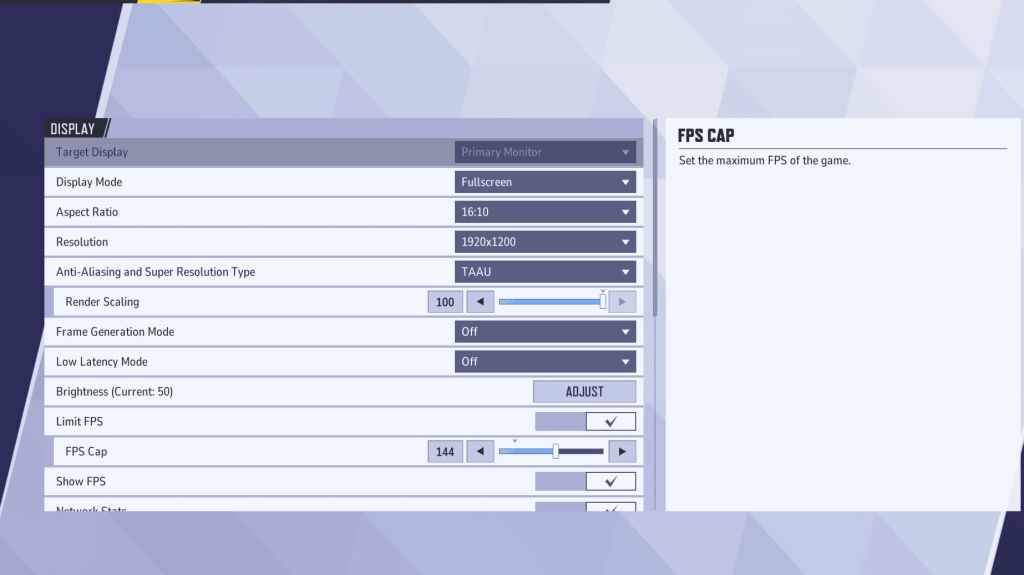
Comience con la configuración de pantalla. Se recomienda el modo de pantalla completa para un rendimiento óptimo, dedicando todos los recursos del sistema al juego, maximizando los FPS y minimizando las distracciones. Modo de ventana sin bordes ofrece comodidad para realizar múltiples tareas, pero puede reducir ligeramente los FPS e introducir un retraso de entrada.
| Setting | Description | Best Setting |
|---|---|---|
| Display Mode | How the game is displayed. | Fullscreen (prioritizes performance); Borderless Windowed (easier multitasking) |
| Resolution | Game resolution. | Monitor's Native Resolution |
| Aspect Ratio | Width and height ratio. | Monitor's Native Aspect Ratio |
| Anti-aliasing & Super Resolution | Anti-aliasing and resolution scaling technologies. | Experiment to find best performance; TAAU often a safe option. |
| Frame Generation | Frame generation technology. | Off |
| Low Latency Mode | Reduces input lag (Nvidia GPUs only). | On + Boost (if available) |
| V-Sync | Synchronizes frame rate with monitor refresh rate; may introduce input lag. | Off |
| Limit FPS | Caps maximum frame rate. | Monitor's refresh rate |
| Show FPS | Displays FPS on-screen. | On |
| Network Stats | Displays network statistics. | On |
Marvel Rivals: configuración gráfica óptima
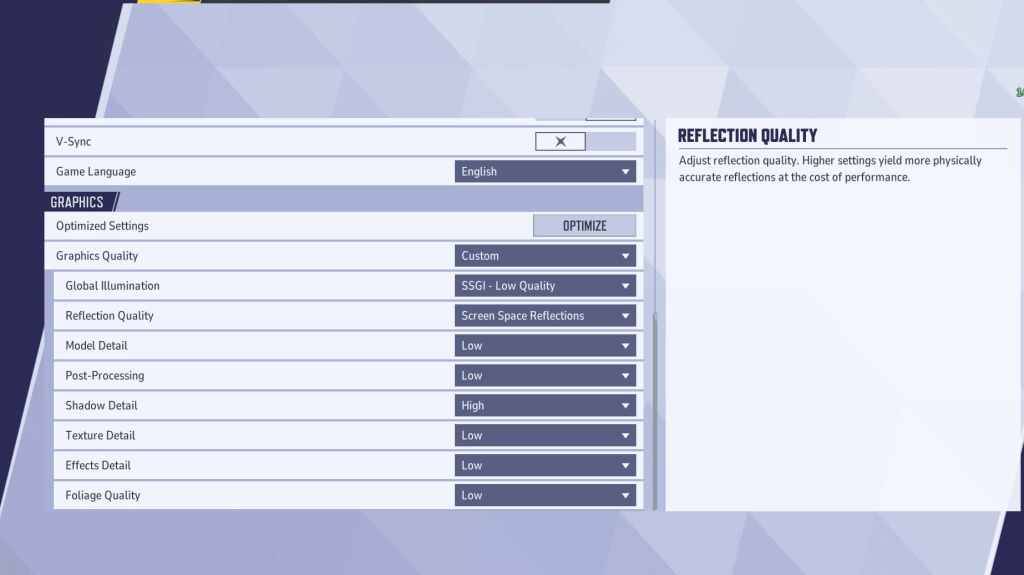
La configuración de gráficos afecta en gran medida el rendimiento. Priorice el rendimiento sobre la fidelidad visual para el juego competitivo, configurando el máximo en Bajo para un juego más fluido y con mayor capacidad de respuesta. Las PC de gama alta pueden experimentar con configuraciones Media o Alta.
| Setting | Description | Best Setting |
|---|---|---|
| Graphics Quality | Preset adjusting multiple visual settings. | Custom |
| Global Illumination | Simulates light bouncing; higher settings are resource-intensive. | SSGI – Low Quality |
| Reflection Quality | Clarity and realism of reflections. | Screen Space Reflections |
| Model Detail | Complexity and realism of models. | Low |
| Post-Processing | Visual effects like motion blur and depth of field. | Low |
| Shadow Detail | Sharpness and quality of shadows. | High |
| Texture Detail | Resolution of in-game textures. | Low |
| Effects Detail | Quality of visual effects. | Low |
| Foliage Quality | Density and detail of environmental elements. | Low |
Desactive la aceleración del mouse tanto en el juego como en la configuración de Windows para mejorar la precisión de apuntar.
Marvel Rivals: Configuración de audio óptima
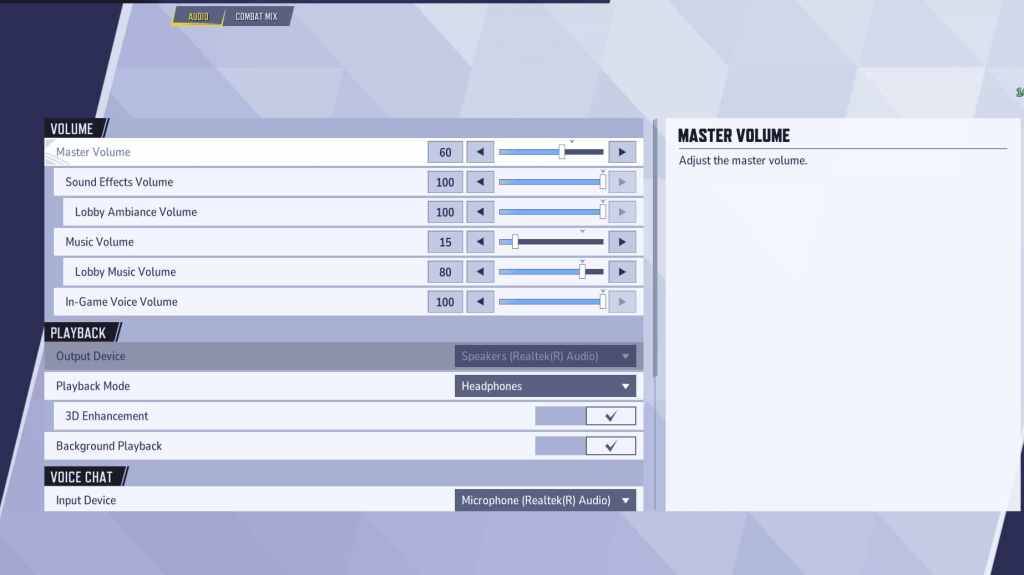
El audio mejora significativamente el juego. Habilite Mejora 3D para mejorar el sonido espacial y ayudar en la ubicación del enemigo. Utilice HRTF (si está disponible) para obtener señales de audio mejoradas. Ajuste los niveles de volumen según sus preferencias.
Siguiente: Mejores habilidades de equipo en Marvel Rivals
Últimos artículos
Juegos de tendencia
![1xBet [Updated]](https://imgs.yx260.com/uploads/76/1719623227667f5e3be7616.jpg)









Noticias principales









Últimos juegos